
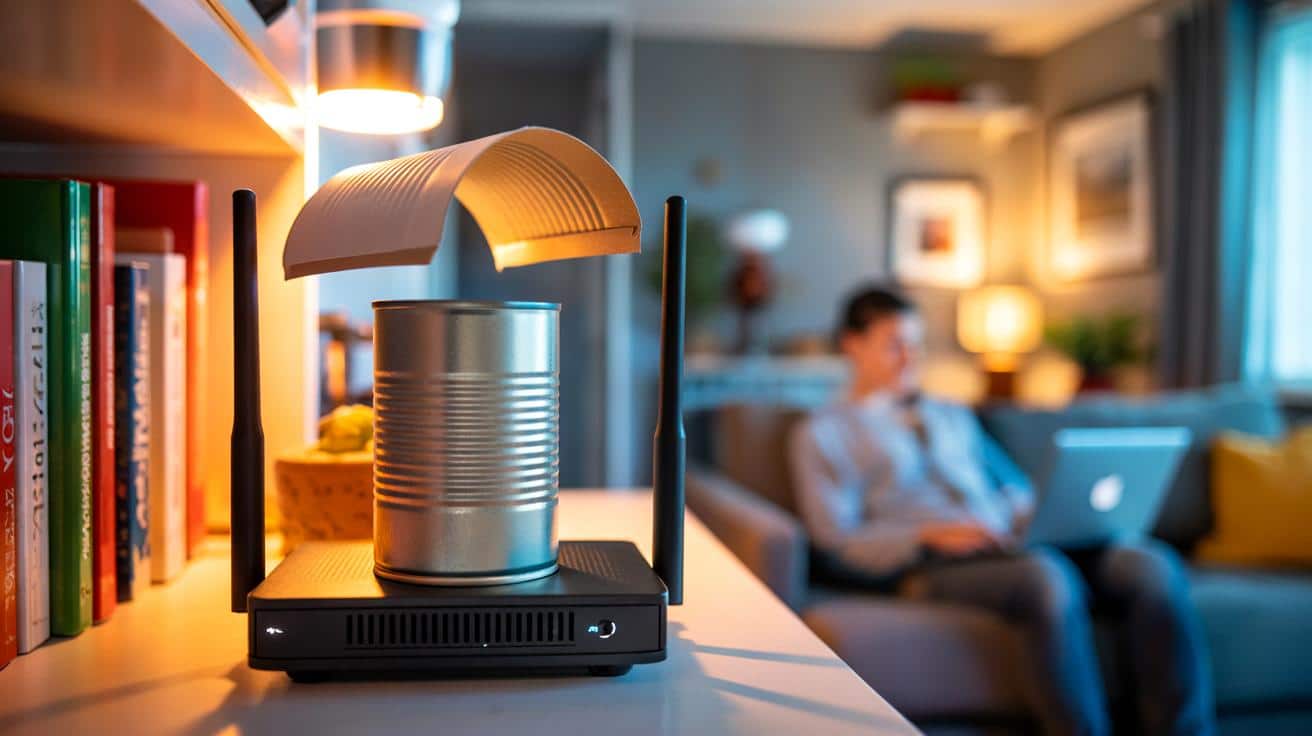
You’ve moved it, you’ve rebooted it, you’ve shouted at the air. The fix might already be in your recycling bin. A humble drinks can can push Wi‑Fi farther and faster than you’d think, if you shape it right.
The can was cold from the fridge when I tried it. Late evening, kitchen light buzzing, two rooms between me and the router that my landlord tucked beside a stack of cookbooks. My son was trying to stream a match; I just wanted Spotify to stop stuttering. I rinsed the can, cut it open, bowed it into a little metal sail, and clipped it behind the router. The speed test jumped like it had been cheating all along. It wasn’t dramatic theatre. It was a small, weird win that changed the entire flat. Then it got interesting.
Why a drinks can can boost your Wi‑Fi more than you expect
Wi‑Fi is radio, and radio loves shape. Aluminium reflects those waves like a mirror, nudging energy in one direction rather than spraying it everywhere. A curved can behind your router acts like a tiny reflector, pushing more signal toward the room that needs it most. It’s not magic, it’s geometry doing heavy lifting in a cramped home. Done right, it can add a little gain where you care and steal a little where you don’t, which is fine if the hallway doesn’t need to binge Netflix.
In a London terrace with thick plaster, I saw a dead spot go from flaky to usable with nothing but a chopped-up can and some Blu Tack. Before the tweak, the office hovered at 14–18 Mbps on 2.4 GHz, enough for email but jittery on calls. After, it sat around 28–36 Mbps in the same chair, same laptop, same night. We’ve all had that moment where a Zoom wave freezes mid-air; this turned it into a shrug instead of a panic. That’s what a few decibels pointed the right way can feel like in the real world.
Here’s why it lands. The 2.4 GHz band has a wavelength around 12.5 cm, which means objects the size of your hand can shape it. The can’s soft curve becomes a reflector, similar to a tiny satellite dish, focusing waves in a lopsided lobe. 5 GHz is fussier and more easily blocked by walls, yet it still benefits if you’re line-of-sight or close. The trade-off is simple: more signal where you want it, less in the opposite direction. If you’re targeting one stubborn room, that trade can feel like a small miracle.
The five‑minute can‑reflector hack (and how not to mess it up)
Grab a standard 330 ml aluminium can. Rinse, dry, and pull off the ring. With scissors or a craft knife, carefully cut off the top and bottom so you have a hollow cylinder. Make one vertical cut down the side and gently open it into a curved sheet, leaving the natural bow intact. Place this “sail” behind your router or its antennas, with the shiny side facing the room you care about, and fix it with tape or Blu Tack. It feels a bit like origami for radios. Angle, test, angle again. Small tilts matter.
Go slow. Those edges can be sharp, so tape them or wear thin gloves. Don’t block the router’s vents or cover more than the back edge of its body. Keep cables loose and avoid pressing the can directly onto antennas; you want to reflect, not short anything out. Try the hack on 2.4 GHz first for reach, then see what 5 GHz does in the same spot. Let’s be honest: nobody really runs speed tests every day, so do three back‑to‑back and call it a fair read. If the room you’re in climbs and the hallway dips, you’re doing it right.
You’ll get the best results if you treat it like tuning an instrument rather than building a monument. This is a nudge, not a rebuild, and nudges can be surprisingly powerful.
“Think of the can as a tiny megaphone for your router,” a network engineer told me. “It won’t turn a whisper into a stadium PA, but it will make the next sentence clearer.”
- Place the can behind the router, not in front of it.
- Aim the curve so it “cups” the antennas and faces your target room.
- Test with 2.4 GHz for reach; test 5 GHz for speed in shorter hops.
- Keep metal and mirrors out of the direct path if you can.
- Move the router a hand’s width higher if it’s near the floor.
Beyond the can: small tweaks, big pay‑offs
The can trick works best as part of a simple tidy‑up of your radio life. Move the router off the floor and away from the TV or a fish tank. Shift it to a central, open spot and rotate it a few degrees at a time until your worst room brightens. Change your Wi‑Fi channel to avoid the neighbour’s loud network, and switch off the “Smart Connect” option if it keeps shunting you to a weaker band. Little things stack, and stacked little things feel like a new connection.
| Key point | Detail | Interest for the reader |
|---|---|---|
| The can acts as a reflector | It focuses signal toward one room, trading coverage behind it | More speed where you actually sit and work |
| 2.4 GHz vs 5 GHz | 2.4 travels farther; 5 is faster but fussier with walls | Pick the band that suits your room and task |
| Tune, don’t rebuild | Small angle changes and smart placement bring big gains | Free improvements in minutes, no new kit needed |
FAQ :
- Does the can trick work with any router?Mostly, yes. It’s best with routers that have visible antennas or a clear back panel so the reflector can sit behind the radiating elements.
- Is it safe to put metal near my router?Yes, if you keep it a little off the body, don’t block vents, and tape sharp edges. You’re reflecting radio waves, not touching electronics.
- Will this help 5 GHz or only 2.4 GHz?Both can benefit. 2.4 GHz often gains more range; 5 GHz may show cleaner speed in line-of-sight rooms after you aim the reflector.
- How much improvement should I expect?Anywhere from “barely noticeable” to 20–50% quicker in a target room, depending on walls, distance, and interference. The win is directional, not whole‑house.
- Is foil better than a can?Foil over cardboard works too. A can is easy, sturdy, and pre‑curved, which makes placement and repeatability simpler.







Just tried this with a scruffy aluminium can and some Blu Tack and—no joke—my dead spot went from 15–18 Mbps to around 32–35 on 2.4 GHz. Hallway dipped a bit, living room streams fine now. Angle tweaks mattered way more than I expected. Definately keeping this until I can afford mesh. Thanks for the clear safety tips about sharp edges and vents—saved my thumbs 🙂